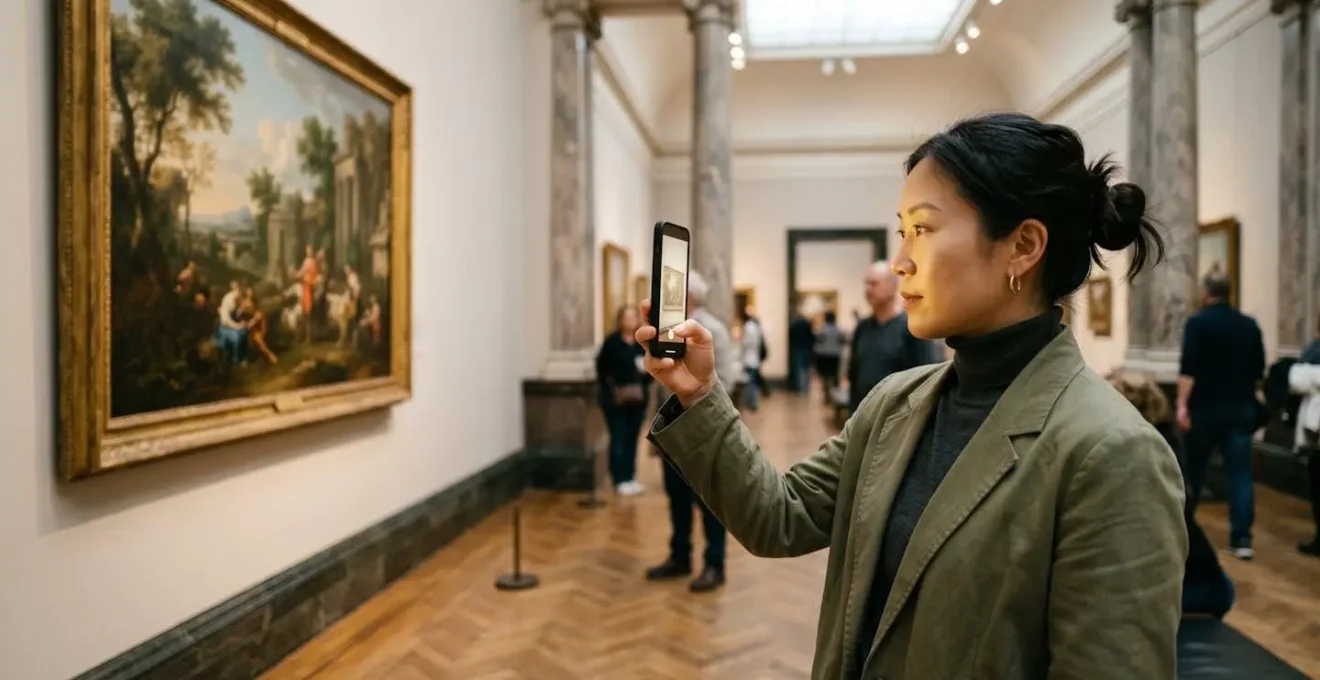
The key to using AR in museums is balance: leveraging technology for deeper insight without letting the screen replace the artwork itself.
- Prepare your device beforehand (battery, data, headphones) to avoid disruptions and focus on the art.
- Use the “Scan, Learn, Look” method to intentionally integrate digital information with physical observation.
Recommendation: Choose your app based on the museum you’re visiting (Smartify for partners, Google Arts for broader exploration) and use it deliberately as a contextual tool, not a primary focus.
Stepping into one of London’s grand museums, from the National Gallery to the Tate Modern, is an invitation to connect with centuries of human creativity. Today, that connection can be deepened by a tool you already carry: your smartphone. Augmented reality (AR) apps promise to bring artworks to life, revealing hidden stories and offering expert commentary. However, the common fear is that this technology creates a barrier, encouraging us to stare at a screen rather than the masterpiece in front of us.
Many guides simply list the top apps or marvel at the novelty. They might mention basic tips but often overlook the most crucial aspect of the experience. The real challenge isn’t finding an app; it’s using it in a way that genuinely enriches your visit instead of distracting from it. What if the secret wasn’t just about the technology, but about developing a new way of looking—a conscious balance between the digital layer and the physical object?
This guide moves beyond the generic advice. We will explore how to choose the right tool for your visit, prepare your device for a seamless experience, and uncover the hidden histories AR can reveal. Most importantly, we will address the critical mistake of getting lost in the screen and provide a practical method to ensure technology serves the art, not the other way around. By the end, you’ll be equipped to use AR as a powerful curatorial lens, transforming your next London museum trip into a more profound and engaging encounter.
To help you navigate this new way of seeing, this article breaks down the essential aspects of using AR in a gallery setting. The following sections will guide you from practical preparation to advanced concepts, ensuring you can harness this technology with confidence.
Summary: A Practical Guide to Augmented Reality in London’s Galleries
- Smartify or Google Arts: Which App Offers the Best AR Features for UK Museums?
- Battery Drain and Data: How to Prepare Your Phone for an AR Museum Tour?
- X-Ray Vision: How AR Reveals Underdrawings beneath Famous Paintings?
- The Mistake of Watching the Screen instead of the Artwork: Finding Balance
- Spark AR or Unity: How Can Artists Start Creating Their Own AR Layers?
- Motion or Facial Recognition: How Do Portraits “Watch” You Back?
- Flash is Dead: How to Convert Old Web Art to HTML5 without Losing Function?
- How Interactive Digital Portraits Are Changing Viewer Engagement in Galleries?
Smartify or Google Arts: Which App Offers the Best AR Features for UK Museums?
Choosing the right app is the first step to a successful AR-enhanced museum visit. In the UK, two major players dominate the scene: Smartify and Google Arts & Culture. While both offer art recognition features, their core strengths and ideal use cases are quite different, making the choice dependent on your specific plans for the day. Think of it as choosing between a specialized guide for a single location versus a comprehensive encyclopedia for the entire world.
Smartify often bills itself as the “Shazam for art.” Its primary strength lies in its deep partnerships with hundreds of UK institutions, including the National Gallery. At these partner venues, the app provides official museum-curated content, professional audio guides, and seamless artwork scanning. This makes it the superior choice if you are visiting a specific partner museum and want a curated, in-depth experience crafted by the institution itself. It is designed for on-site use, turning your phone into an expert companion.
On the other hand, Google Arts & Culture is an archival titan. While it includes an art recognition feature, its main purpose is to provide a vast virtual museum you can explore from home. It offers access to over 2,000 global museums, with high-resolution images you can zoom into, virtual tours, and deep educational exhibitions. It’s an incredible resource for pre-visit research or post-visit exploration, but its on-site AR features are generally less integrated than Smartify’s at partner locations. The following comparison breaks down the key differences to help you decide.
This table, based on an analysis of leading art recognition apps, provides a clear overview of which platform best suits your needs.
| Feature | Smartify | Google Arts & Culture |
|---|---|---|
| Primary Strength | Audio-guided museum tours at partner venues | Virtual museum exploration & high-res artwork viewing |
| AR Functionality | Artwork scanning with ‘Shazam for art’ recognition | Art recognition feature (secondary to virtual tours) |
| UK Museum Coverage | Hundreds of UK partner museums with official content | 2,000+ global museums including major UK institutions |
| Best For | Art historians & casual family visits requiring curated audio | Virtual exploration at home & browsing high-res images |
| Offline Mode | Available for pre-downloaded tours | Limited offline capability |
| Content Depth | Professional narration & museum-curated stories | Deep archival links & educational exhibitions |
Battery Drain and Data: How to Prepare Your Phone for an AR Museum Tour?
There is nothing more frustrating than having your immersive AR experience cut short by a dead battery or patchy museum Wi-Fi. Augmented reality apps are notoriously power-hungry. They use your camera, processor (GPU), and sensors simultaneously, leading to significant battery drain. In fact, research confirms that AR apps can consume 20-30% more battery power than standard applications, with intensive sessions draining it even faster. Proper preparation is not just a suggestion; it’s essential for a stress-free visit.
Before you even leave home, take a few minutes to optimize your device. The goal is to minimize background processes and reduce reliance on in-museum connectivity, which can be unreliable. First, download the museum app and any available offline tours or maps over your home Wi-Fi. This saves mobile data and prevents slow loading times in gallery spaces with thick walls and poor signal. Additionally, remember to bring headphones; many AR experiences include audio, and playing it aloud is a major breach of museum etiquette.
A portable power bank is your most important accessory for an AR-focused tour. A small, fully charged unit can be a lifesaver, allowing you to explore for hours without “battery anxiety.” By combining this with smart settings on your phone—like reducing screen brightness and closing unnecessary background apps—you ensure that the technology remains a helpful tool rather than a source of frustration. The following checklist provides a step-by-step plan for getting your phone gallery-ready.
With your device optimized and a power source on hand, you can focus entirely on the art. This preparation ensures your digital guide is ready to perform whenever you need it.
Your Action Plan: Preparing Your Phone for a Museum AR Tour
- Download app content and offline maps over home Wi-Fi to avoid data consumption and ensure smooth loading in areas with weak museum Wi-Fi.
- Clear your phone’s cache and close all non-essential background apps to free up processing power and reduce battery strain.
- Adjust screen brightness to 60-70% rather than maximum; AR apps work well at slightly dimmer settings while saving significant power.
- Enable Low Power Mode once inside the museum, as it limits background processes without compromising core AR functionality.
- Disable social media notifications and auto-sync features to prevent interruptions during your immersive experience.
- Bring a fully charged portable power bank, as AR can drain power much faster than standard apps.
- Pre-identify museum charging stations (often in cafés or main halls) as a backup power source for extended visits.
X-Ray Vision: How AR Reveals Underdrawings beneath Famous Paintings?
One of the most compelling uses of augmented reality in museums isn’t adding fictional animations to art, but revealing what is actually hidden beneath the surface. AR can function as a form of “digital X-ray vision,” allowing visitors to see the artist’s creative process, including corrected mistakes and initial sketches known as *pentimenti*. This transforms the viewing experience from observing a finished product to exploring a living document of artistic decisions.
This technology works by overlaying pre-recorded data from scientific analysis—such as X-radiography or infrared reflectography—onto the physical painting when you view it through your phone. Conservators have used these techniques for decades to study artworks, but AR makes their findings accessible to everyone in real-time. Instead of reading a small wall label about a hidden detail, you can see the underdrawing appear directly on top of the final version, providing a powerful “before and after” perspective. It’s a perfect example of technology serving the art, adding a rich curatorial layer of information that is impossible to see with the naked eye.
This approach connects you directly to the artist’s mind, showing how they changed compositions, adjusted figures, or painted over entire sections. It makes the artwork feel less like a static relic and more like a dynamic object with a hidden history. The following case study on a famous Raphael portrait demonstrates just how much can be uncovered.
Case Study: Raphael’s Hidden Background
At the National Gallery in London, X-ray investigation of Raphael’s ‘Portrait of Pope Julius II’ revealed a radical background revision. The final, plain green background that we see today was not the original plan. As shown through scientific analysis, Raphael initially painted a detailed background filled with papal symbols, including the papal tiara and the Della Rovere oak tree. By using technology to overlay these findings, conservators can tell a compelling story about artistic choice and patronage. An AR app could let a visitor toggle this hidden background on and off, directly witnessing the creative decisions that shaped the final masterpiece.
The Mistake of Watching the Screen instead of the Artwork: Finding Balance
The single greatest pitfall of using AR in a museum is allowing the device to become the main event. It’s an easy trap to fall into: the app presents a dazzling animation or fascinating fact, and you find yourself staring at your phone, rotating the virtual view, completely disconnected from the physical artwork just feet away. This not only diminishes your own experience but can also disrupt that of others, as you inadvertently block their view. The goal is to use the phone as a lens, not a replacement.
Finding the right art-tech balance is crucial. The technology should be a springboard for deeper observation, not a destination in itself. This requires a conscious and disciplined approach to how you interact with the app. Instead of keeping your phone raised the entire time, think of it as a tool you consult for a specific piece of information before returning your focus to the artwork. This practice of “intentional viewing” ensures the digital context enhances, rather than supplants, your direct visual engagement with the piece.
A gallery visitor reported observing someone using Smartify who was literally standing in front of amazing artwork while staring at their phone screen, rotating the virtual view and inadvertently blocking others. This real-world observation highlights the common challenge of technology-mediated experiences interfering with authentic art appreciation and visitor etiquette in shared museum spaces.
– App Store Review, Smartify
To avoid this common mistake, you can adopt a simple, three-step method designed to keep the art at the center of your attention. This technique ensures you get the benefit of the AR insight without getting lost in the screen.
The Scan, Learn, Look Technique:
- SCAN (15 seconds): Point your smartphone at the artwork to activate the AR feature. Wait for the app to recognize the piece and load the digital content.
- LEARN (15-30 seconds): Quickly absorb the key insight displayed on the screen. Read the main fact, identify the hidden detail, or listen to the short audio clip. Capture the one piece of new information.
- LOOK (2-3 minutes): Put your phone down or hold it at your side. Spend the majority of your time looking at the physical artwork with this new context in mind. Notice how the digital information changes your perception of the brushstrokes, colors, and composition.
Spark AR or Unity: How Can Artists Start Creating Their Own AR Layers?
While most visitors are content consumers of AR experiences, a growing number of artists and creatives are interested in becoming producers. With museums increasingly investing in digital strategies, the demand for unique, artist-led AR content is on the rise. For artists looking to add a digital, interactive layer to their physical work or to create site-specific interventions in gallery spaces, two platforms stand out as primary entry points: Spark AR and Unity.
Spark AR, developed by Meta, is the tool behind Instagram and Facebook filters. Its strengths are its relatively gentle learning curve and its massive, built-in distribution network. It’s primarily designed for facial effects and simple world-effects, making it ideal for artists creating interactive portraits or smaller-scale AR experiences. Because it’s node-based (visual scripting), it can be more accessible for those without a traditional coding background. The main limitation is that experiences are tied to Meta’s social media platforms.
Unity, on the other hand, is a professional-grade game engine and the powerhouse behind most of the sophisticated, standalone AR apps you see today, including Pokémon GO. It offers far greater flexibility, power, and control, allowing for complex 3D models, intricate interactivity, and deployment as a dedicated app. The learning curve is significantly steeper, often requiring C# programming skills, but it is the industry standard for creating robust, high-quality AR content. For artists with ambitious projects, Unity is the more powerful, long-term solution.
Case Study: National Gallery X and the Artist Residency Model
For artists in London, a key institution leading the way is National Gallery X (NGX). This innovation lab, a partnership with King’s College London, provides a dedicated studio space for artists to experiment with new technologies like AR and AI. The NGX artist residency program offers a direct pathway for creatives to engage with a major collection, receive technical support, and showcase their digital work within a prestigious institutional setting. It serves as a model for how museums can foster the next generation of digital artists and actively explore the future of visitor experience.
Motion or Facial Recognition: How Do Portraits “Watch” You Back?
One of the most uncanny and engaging forms of interactive art involves digital portraits that seem to react to your presence. You walk past, and their eyes follow you. You smile, and their expression subtly changes. This “Digital Mona Lisa Effect” isn’t magic; it’s the application of sophisticated computer vision technology. The system uses a camera and software to analyze the viewer’s position, movement, and sometimes even facial expressions in real-time.
There are two primary methods used to achieve this effect. The first is motion tracking. The software identifies a moving object (the viewer) in its field of vision and tracks its coordinates. This data is then used to manipulate the digital artwork—for example, by rotating the pupils of a painted portrait to follow the viewer’s path across the gallery. It’s a relatively simple but highly effective way to create a sense of being watched, tapping into our innate human sensitivity to gaze.
The second, more advanced method is facial recognition. Here, the software not only detects a presence but also identifies key facial features (eyes, mouth, nose) and can even interpret expressions. This allows for much more nuanced interactions. An artwork could be programmed to “smile back” at a smiling viewer or to change its emotional tone based on the audience’s perceived mood. This level of responsiveness transforms the viewing dynamic entirely.
Interactive art that responds to a viewer’s presence, movement, or expression makes them a co-creator of the experience.
– Museum Digital Transformation Study, Computers in Human Behavior
By making the viewer’s presence a key input, the artwork is no longer a static object to be passively observed. It becomes a responsive system, and the visitor becomes an active participant in a technological and artistic dialogue. This shift is fundamental to how interactive installations are changing the nature of gallery engagement.
Flash is Dead: How to Convert Old Web Art to HTML5 without Losing Function?
The death of Adobe Flash in 2020 created a crisis for digital art and cultural heritage. A huge volume of pioneering, interactive net art from the late 90s and 2000s was built entirely in Flash. When browsers ceased supporting it, these works effectively “died”—becoming inaccessible and at risk of being lost forever. The challenge for museums, artists, and conservators has been to resurrect this work, a process that is far more complex than simply converting a file format.
The solution lies in a painstaking process of migration to modern web standards, primarily HTML5, CSS3, and JavaScript. This is not an automated, one-click conversion. Flash animations and their complex, scripted interactivity (using ActionScript) must be manually recreated from the ground up. Conservators and developers often use tools like Ruffle, an emulator written in Rust, which can run many old Flash files directly in the browser. However, for complex artworks, this is often just a starting point.
The real work of digital conservation involves reverse-engineering the original artist’s intent. A developer must analyze the original Flash file to understand its logic, timing, and interactive pathways, and then replicate that functionality using modern code. It’s a task that requires both technical skill and an art historical sensibility. The goal is not just to make the piece *look* the same, but to preserve the *feel* and *behavior* of the original interaction. This has led to a powerful analogy within the museum world: the software engineer converting Flash to HTML5 is performing a role remarkably similar to that of a traditional art conservator restoring a fragile, centuries-old painting, carefully preserving every detail for future generations.
Key takeaways
- The true value of AR in museums is its ability to reveal hidden layers and historical context, like underdrawings, rather than just creating superficial animations.
- Adopting the “Scan, Learn, Look” technique is essential for maintaining a healthy balance between screen time and direct art appreciation, ensuring technology enhances rather than replaces the experience.
- Interactive digital art is fundamentally changing the gallery dynamic, transforming the viewer from a passive observer into an active co-creator of the artistic experience.
How Interactive Digital Portraits Are Changing Viewer Engagement in Galleries?
Interactive digital portraits and AR-enhanced artworks are fundamentally rewriting the rules of engagement in museum galleries. For centuries, the relationship between viewer and artwork was one of silent, static observation. Today, technology is introducing a two-way dialogue, transforming passive viewers into active participants and creating new metrics for measuring how people connect with art. Studies consistently demonstrate that digital display technologies significantly enhance visitor engagement with heritage.
This shift is driven by interactivity. When a portrait’s eyes follow you or an AR layer reveals a hidden story, the artwork acknowledges your presence. This simple act of response creates a powerful psychological connection, making the experience more personal, memorable, and emotionally resonant. Instead of just looking at a piece of history, you are interacting with it. This changes not only how visitors feel but also how they behave. Galleries are now able to measure engagement in new ways, moving beyond simple visitor counts to analyze dwell time (how long someone spends with an artwork) and behavioral patterns.
Museums are discovering that well-designed digital experiences encourage visitors to look more closely and for longer periods. The digital prompt acts as a hook, drawing the viewer in and giving them a new reason to examine the physical object in more detail. The Art Gallery of Ontario’s ‘ReBlink’ exhibition provides a compelling, data-driven example of this principle in action.
Case Study: The AGO’s ReBlink Exhibition
The Art Gallery of Ontario’s ‘ReBlink’ exhibition used augmented reality to reimagine historical paintings with a contemporary twist. The project was carefully designed to encourage visitors to look up at the art rather than down at their devices. According to post-exhibition surveys, the results were remarkable: 84% of visitors reported feeling engaged with the art, and, crucially, 39% looked at the original paintings again after using the AR app. This case study shows how galleries can use AR not as a gimmick, but as a strategic tool to drive deeper, more sustained engagement with their core collection.
Ultimately, using augmented reality in a museum is a skill. It requires preparation, intentionality, and a commitment to keeping the artwork at the center of the experience. By choosing the right tools and adopting a balanced approach, you can unlock a powerful new layer of meaning and transform your relationship with the art you love. The technology is not the end goal; it is simply a new and exciting doorway to closer looking.